
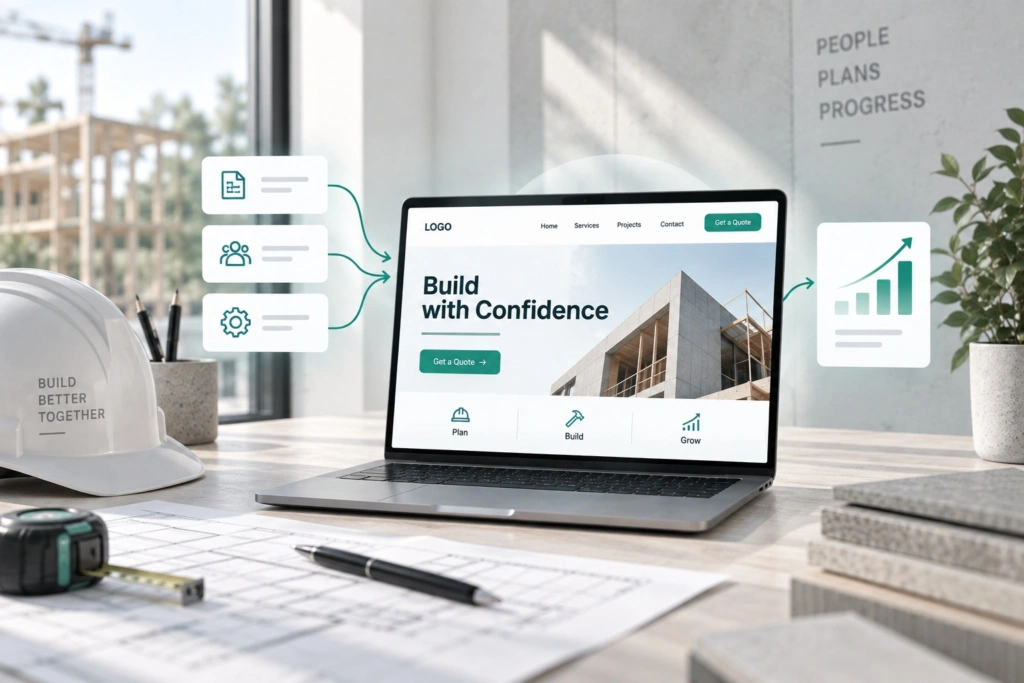

A contractor can have 20 years of experience, a perfect safety record, and a portfolio of completed projects worth millions — and still lose a bid because their website looked less credible than a competitor who’s been in business for three years.
In construction, your website is evaluated before your proposal ever gets opened. Commercial clients, developers, and project owners Google you. What they find either builds confidence or creates doubt.
This guide covers 10 web design tips that separate contractor websites that generate leads from ones that just exist. They apply to commercial builders and to residential contractors who sell to homeowners. Use them as a checklist if you’re planning a redesign, or as a brief if you’re hiring a web design company.
1. Lead with what you build, not who you are
Most contractor sites open with a vague headline like “Building Excellence Since 1998” or “Your Trusted Construction Partner.” That tells a prospect nothing useful.
The first screen of your site should answer three questions: What type of construction do you do? Who do you work for? Where do you operate?
For example: “Commercial tenant improvements and ground-up construction for retail and hospitality clients across Texas.”
That one sentence filters out irrelevant inquiries and immediately reassures the right prospect they’re in the right place. It tells a developer scrolling through three tabs that you’re not a residential remodeler — you’re exactly what they’re looking for.
A generic headline forces the visitor to dig through your site to figure out if you’re even relevant. Most won’t bother. Not sure your current site passes this test? Start with an audit — it’s the first step of every website redesign we run.
2. Show your portfolio with real project data
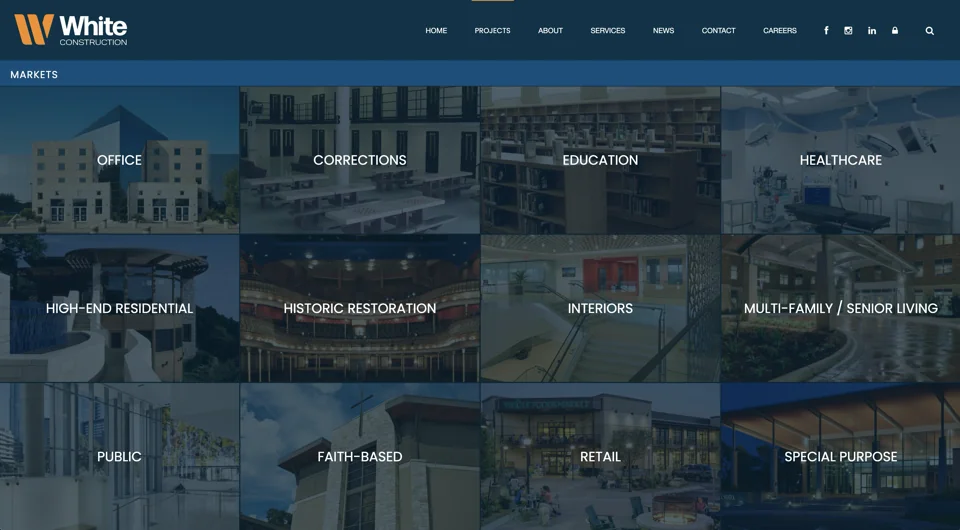
A portfolio of photos is the minimum. The contractors winning commercial work online go further: they show project scope, timeline, delivery outcome, and the client type.
“Office renovation, 14,000 sq ft, delivered 3 days ahead of schedule for a healthcare client in Austin” is a portfolio entry. A photo of a finished lobby with no context is just a picture.
Include 5–8 detailed project pages covering:
- Project type — TI, ground-up, renovation, industrial, etc.
- Size and scope — square footage, project value range, number of floors
- Location — city and market
- Your role — GC, design-build, CM at risk
- Challenge and solution — what was difficult and how you handled it
- Outcome — on time, under budget, client retained for follow-on work
This depth is what builds credibility with owners and developers evaluating you against three other contractors. They want evidence you’ve handled projects like theirs — not just that you can take good photos.
3. Use real photography, not stock
Generic hard hats and yellow vests from Shutterstock immediately signal that you don’t have enough real work to show. Commercial clients notice this — especially developers and corporate real estate teams who look at contractor sites regularly.
Invest in a half-day shoot at an active jobsite and at a recently completed project. Photograph your crew working, your equipment on site, completed phases, and the finished result. Before-and-after shots are particularly effective for renovation work.
If you have a completed project where the client is proud of the outcome, ask permission to feature it with their logo and a quote. A photo of a real project for a recognizable local brand — with the client’s name attached — is the most powerful credibility element your site can have.
For contractors just starting to build their visual library: even smartphone photography of real work beats polished stock. Authenticity outperforms aesthetics in construction.

4. Clearly define your services and specializations
Contractors who try to appear capable of everything often win nothing specific. “We do commercial, residential, industrial, renovation, and new construction” tells a prospect you’re generic.
Create individual pages for each service type you want to win more of. If commercial tenant improvements are 60% of your revenue, that deserves its own page with its own content — project examples, your process, typical scope, industries you’ve served — not a bullet point on a general Services page.
Why this matters for search engines: a page titled “Commercial Tenant Improvement Contractor in Dallas” can rank for that specific search. A general Services page cannot rank for anything specific.
Specialization also signals expertise. A developer looking for a TI contractor would rather hire someone whose entire website focuses on TI work than someone who claims to do everything. See how we approach websites for construction companies to generate the right type of leads.

5. Make your service area explicit
One of the most common failures on contractor sites: nowhere does it clearly state where they actually work.
State your service area on your homepage and on every service page — city, metro, region, or states. If you’re licensed in multiple states, list them. If you focus on a specific metro, say it clearly: “Serving the Dallas–Fort Worth Metroplex and North Texas.”
This affects both your local rankings and your conversion rate. A prospect who isn’t sure whether you serve their area will move on rather than call to ask. And Google needs geographic signals to show your pages in local searches.
If you serve multiple distinct markets — say, Austin and San Antonio — consider creating separate location pages for each. A page for “General Contractor Austin TX” and another for “General Contractor San Antonio TX” will each rank independently for local searches. We apply the same rule on our own site: a dedicated construction website design in Austin, TX section names the suburbs we serve and says where our construction clients actually are.

6. Build a credibility section that closes deals
Before a commercial client awards the job, they want to de-risk the decision. Your website needs a dedicated section that does exactly that — prominently, not buried in an About page footer.
Include:
- Client logos — with permission from clients whose names carry weight in your market
- Verified testimonials — full name, title, company name. “Great work! — John S.” builds zero trust. “They delivered our 22,000 sq ft office build-out two weeks early — John Smith, VP Real Estate, [Company Name]” closes deals.
- Certifications and licenses — bonded, insured, GC license number, OSHA certifications, LEED if applicable
- Industry affiliations — AGC, ABC, local builders associations
- Safety record — EMR rating if favorable, total recordable incident rate
- Years in business and project count — “Established 2003. 340+ projects completed.”
This is the section that turns a warm lead into a phone call. Prospects who reach this section and see recognizable client names and verifiable credentials are significantly more likely to submit an inquiry.
7. Have a clear, specific call to action
“Contact Us” is the weakest call to action you can use. It asks for a commitment without telling the prospect what happens next or how much effort is required.
Replace it with something that reduces friction and sets expectations:
- “Request a Project Estimate” — tells them exactly what they’ll get
- “Get a Free Site Assessment” — works well for renovation and TI work
- “Tell Us About Your Project” — low commitment, conversational
Also consider a two-step approach: a primary button (“Request an Estimate”) and a secondary one for prospects who aren’t ready yet (“See Our Projects”). This captures both decision-ready leads and early-stage prospects still evaluating options.
Put your primary button in the header, at the bottom of every service page, and after your portfolio section. Don’t make a serious prospect hunt for how to reach you — every extra click costs you inquiries.

8. Optimize for local search
Most construction work is won locally. Your website should reflect that — both for prospects and for Google.
On-page signals:
- Include your city and region naturally in page titles, H1 headings, and throughout your service pages
- Create individual pages for each service type in each market you serve
- Add your full address and phone number in the footer on every page
Off-page signals:
- Claim and fully complete your Google Business Profile — this is the single highest-impact local SEO action for contractors
- Get listed in contractor directories: Houzz Pro, BuildZoom for residential; Dodge Data and local AGC chapter directories for commercial
- Ask satisfied clients to leave Google reviews — review volume and recency directly affect your local pack rankings
Schema markup: Add LocalBusiness schema to your homepage. This tells Google explicitly what type of business you are, where you operate, and your contact information — it can improve how your listing appears in search results.
Before investing heavily in SEO, it’s worth understanding what your current website traffic is actually worth in revenue terms. Use our Lost Website Profit Calculator to estimate what better rankings could mean in project value.
9. Make contact information impossible to miss
Phone number in the header — visible on every page, on every device. Email address in the footer. A contact form that sends to a real inbox monitored by someone who responds within one business day.
For commercial work, also consider:
- Direct line to your estimator — “Talk to our estimator directly: [name], [phone]” reduces the perceived barrier to reaching out
- Office address — even for contractors who work regionally, a physical address builds credibility and supports local SEO
- Response time commitment — “We respond to all project inquiries within 24 hours” sets expectations and signals you’re organized
Speed matters more than most contractors realize. A commercial client sending RFPs to four contractors often goes with whoever responds first — not necessarily whoever has the best portfolio. Your website should make it as frictionless as possible to reach you.

10. Make it fast and mobile-ready
Developers and project owners often review vendor websites on their phones — between meetings, on site, during due diligence. A site that loads slowly or breaks on mobile creates immediate doubt about your professionalism, even if your actual work is excellent.
Page speed:
- Compress and properly size all images — portfolio photos are the most common culprit for slow construction sites
- Use a reliable managed hosting provider
- Enable browser caching and a CDN if you serve traffic across multiple regions
- Target under 3 seconds load time on mobile
Mobile-friendly design:
- Large tap targets for phone numbers and CTA buttons
- No horizontal scrolling
- Portfolio images that resize cleanly without losing impact
- Contact form that works on mobile without zooming
Google uses mobile-first indexing, meaning it evaluates your mobile site to determine your rankings — not your desktop version. A site that looks great on desktop but breaks on mobile is actively hurting your search visibility.

Contractor website examples from our projects
Galleries show how contractor websites look. These two show what they have to do.
- GK NEO, a commercial builder: a new name, logo, and website built so the company could compete for government construction tenders, with a cost calculator on the site. More public-tender invitations and larger deals followed.
- Razvitie, a custom home builder with 16 years of work: an architecture-first website with lead forms routed to the client’s CRM, built to move the right buyer from browsing to a conversation.
The best contractor websites in any gallery share the same core: completed projects up front, one line on what you build and where, and a clear next step. See our construction case studies.
If you sell to homeowners: what changes
Remodelers, home builders, roofers, HVAC companies, and other home services contractors sell to a homeowner, not a procurement team. The 10 tips above still apply, with three shifts:
- Show the finished room, not the scope sheet. Before-and-after photos of a kitchen or bathroom remodel do more than square footage.
- Put customer testimonials and your Google reviews next to the quote form. Homeowners check reviews before they call.
- Make the next step small: a short estimate form, a click-to-call button, and a clear service area.
Potential clients on a phone decide in seconds. Keep the main navigation to five or six items and put “Request an estimate” in a sticky header, so it’s one tap away on any page.
What a high-performing contractor website structure looks like
| Page | Purpose |
|---|---|
| Homepage | Positioning, service overview, featured projects, social proof, call to action |
| Services (individual pages) | One page per service type — TI, ground-up, renovation, design-build |
| Projects / Portfolio | 5–8 detailed case studies with scope, outcome, client type |
| About | Company history, key leadership, certifications, licenses, safety record |
| Service Area | Cities, regions, states — with location pages for major markets |
| Blog | Local SEO content, project spotlights, industry insights |
| Contact page | Phone, email, form, estimator name, response time commitment |
The most common structural mistake: a single “Services” page listing everything. This hurts both user experience and SEO. Each service type you want to win more of deserves its own dedicated page.
But if you really need reliable and stable hosting, we can recommend 20i.
Build it yourself or hire a web designer?
A website builder like Wix or Squarespace is fine for a new contractor who needs an online presence this month. Pick a template, add real photos of your work, and publish.
The limits show up as you grow. Templates make it hard to build one page per service and per city, large photo galleries can slow them down, and leaving the platform later means rebuilding the site.
Hire a web design company when the site has to win bids. That’s when you need separate service and location pages, project case studies, quote forms routed to the right inbox, and tracking that shows which page produced the call. We build contractor sites on WordPress with Bricks, and move sites off website builders when a business outgrows them.
How much is a better website worth to a contractor?
Most contractors think about a website redesign as a cost. It’s more useful to think of it as a conversion rate problem.
If your site currently gets 200 visitors per month and converts at 1% (2 inquiries), what happens if a redesign brings that to 400 visitors at 2% conversion? That’s 8 inquiries per month instead of 2 — on the same marketing budget, whether the traffic comes from search engines or Google Ads.
For a contractor whose average project is $500K, moving from 2 to 8 qualified inquiries per month — even with the same close rate — changes the math on your pipeline significantly. Use our Lost Website Profit Calculator to run the numbers for your own business.

Frequently asked questions
Why does a contractor need a website if most work comes from referrals?
Because referrals check you online before they call. A referral puts you on the shortlist; your website decides whether you stay on it. It’s also the one marketing asset you fully own. Google Ads, reviews, and directory listings all send people back to it, so a weak site makes every other channel cost more.
How much does a contractor website cost?
It depends on the number of pages, how much custom design you need, who writes the content, and integrations such as a CRM. A website builder costs the least up front, but it costs you time, and you rebuild if you outgrow it. Our prices and what each package includes are on our construction marketing page.
Do contractor websites need search engine optimization?
Yes, if you want work from people who don’t know your name yet. Tips 4, 5, and 8 cover what the build needs. After launch, it’s ongoing work: new project pages, steady reviews, and an up-to-date Google Business Profile.
Ready to build a website that wins bids?
A construction company website that generates real leads isn’t about aesthetics — it’s about communicating capability, credibility, and fit to the right buyer at the right moment.
At Uwindi, we specialize in website design for construction companies. We build sites that rank for local searches, showcase your project work effectively, and convert serious prospects into estimate requests.
